
How to Write Meeting Minutes With Clear Action Items
Meeting minutes fail as a document when the action items inside them are wishes, because a real task carries a specific name and a date before the meeting ends. Get those two details right and the notes become a plan. Miss them and the same document is a list of things that might happen one day. This guide covers the anatomy of an action item that gets done, a minutes format you can reuse weekly, and the mistakes that kill follow-through.
The Anatomy of an Action Item That Gets Done
An action item needs four parts to survive contact with a calendar: a plain-language task statement, one named owner, an absolute deadline with a date, and the context of what it feeds into. Those are the markers that tell the owner what to do when they open the notes a week later without asking anyone. Miss any of the four and the task drifts.
Phrases like "we should" or "someone will" are suggestions, not assignments, so the owner and deadline get named before the meeting ends. Assignment language leaves no room for doubt about who is on the hook, because the moment a task belongs to everyone, it belongs to nobody. That shift in wording is what turns a conversation into a commitment.
Verbs decide whether a task is checkable, because "draft the outline" can be finished while "think about the outline" cannot. Pick words with a clear end state so the owner knows when to stop and the group knows when to follow up. Soft verbs are how a task survives four meetings without ever being done.
A task like "finalize the client's social media content calendar for May", assigned to one person with an end-of-day-Friday deadline, is the shape that works, as the Granola guide puts it. The statement says what done looks like, the owner says who, and the date says when. Anything vaguer is a wish with extra steps.
A Minutes Format You Can Reuse Every Week
The header carries the meeting title, date, and who attended or was absent, because the person reading minutes is often someone who missed the meeting and needs to reconstruct it. If you run formal or board-level meetings, the header grows to include quorum, motions, who moved and seconded, and whether each carried or failed, per standard templates.
After the agenda items, set the decisions off visually with bold text or labels, because readers scan minutes for outcomes rather than reading every line. Write what the group agreed to do, not what people said, and the document stays short enough to actually be read. A wall of prose hides the one thing the meeting produced.
The action item section is the reason the minutes exist: a table with the plain-language task, one named owner, and an absolute deadline per row. Close with the date of the next meeting and you have a reusable structure that takes a week to learn and saves an hour every week after. The consistency matters as much as the content, because a format nobody has to re-decode gets read.
Capture During the Meeting, Not After
The owner-and-deadline decisions happen in the room, and they fade fast. Write the minutes after the call and you're reconstructing who agreed to what from memory and a transcript, which is exactly how "Priya by Friday" becomes "the team, soon". Capture while people talk and the assignments land in the notes with their names still attached.
Split the two jobs: capture during the meeting, format afterwards. Keep a running action list on one side of the page as items get spoken, and don't stop to polish prose mid-meeting, because the polish can wait and the assignment can't. This is the same reason the agenda works: the structure exists before the meeting so the meeting doesn't have to maintain it.
AI meeting assistants earn their place here, transcribing the audio and drafting a first set of items while you listen. But the owner and the deadline are still human decisions that need verbal agreement in the room, and a drafted item nobody claimed is just a tidier wish. Verify the names and dates yourself before the meeting ends.
The Mistakes That Kill Follow-Through
Shared ownership is the big one: assign a task to the whole group and everyone assumes someone else has the lead, so nobody moves. Name one primary owner even when several people contribute, and put the helpers in the task context rather than the owner field.
Vague verbs are second: "look into" and "think about" can't be finished, so they never are. Swap them for verbs with an end state, like "draft", "send" or "decide", and the task becomes something you can check off or chase. Deadlines without dates are the same fault in disguise, because "end of week" means four things to five people.
The quieter failure is discoverability: decisions buried in paragraphs nobody scans, and minutes trapped in an inbox thread that nobody can find a week later. Bold the decisions, keep the format consistent, and put the document where the team already works. If the minutes can't be found, they might as well not exist.
From Minutes to a System That Tracks Itself
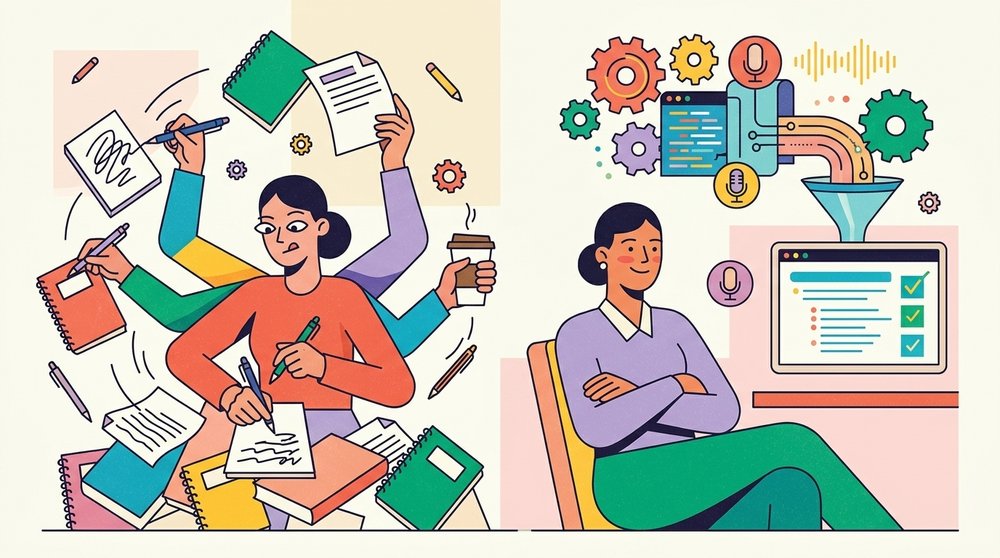
Move action items out of the notes and into a tracking system within 24 hours, because a document is a record and a record doesn't chase anyone. The tracker is where tasks stay visible until they're done, which is the whole difference between assigned and tracked. Once the items live there, the notes can go back to being history.
Then make review a habit: open every recurring meeting by walking the open action items from last time. People prioritize work they know they'll be asked about, so the review does the chasing for you, and an open item becomes a conversation about blockers instead of a surprise. For the shape of those recurring sessions, see how to build an effective meeting agenda, and a meeting summary template keeps the follow-up fast. The how-to library holds the rest of the workflow guides if you're rebuilding how your team runs meetings.
Automation can sync items into your task tools and save the copy-paste, but it can't decide who owns the work or when it's due, because those are agreements made between people in the room. Let the machine handle the capture and the transfer, and keep the assignment human. That division of labor is what makes the system trustworthy enough to stop double-checking it.
Frequently Asked Questions
What should action items in meeting minutes include?
Four things: a plain-language task statement, one named owner, an absolute deadline with a real date, and enough context to know why the task matters. Phrases like "someone will" disqualify an item, because that's a suggestion wearing a task's clothes.
Who should write the minutes?
One designated person per meeting, rotating if the load feels uneven. The writer captures decisions and assignments while others carry the discussion, and the role passes around so it doesn't become a tax on the same person every week. What doesn't work is everybody's notes and nobody's minutes.
How detailed should meeting minutes be?
Detailed enough that someone who missed the meeting can act on it, and no more. Decisions, assignments with owners and dates, and the next meeting date are the payload. A near-transcript slows down the exact readers the minutes exist for.
What is the difference between minutes and action items?
Minutes are the record of what happened, and action items are the tasks that come out of it. Minutes look backward and capture context and decisions, while action items look forward and name who does what by when. A set of minutes without action items is history, and action items without minutes are context-free tasks.
How do you track action items after a meeting?
Move them into a tracking system within 24 hours, then review the open list at the start of each recurring meeting. The tracker keeps tasks visible and the review keeps them honest, and the combination is what replaces the manual chasing that follow-through usually dies of.