![A meeting transcript on Shmeetings with [silence] and Thank You snippets](/assets/images/blog/shmeetings-2-3-update.jpg)
Shmeetings 2.3: No More Phantom [silence] in Your Transcripts
Shmeetings 2.3 is out. The big fix this time is something a lot of you flagged: those random [silence] and Thank You snippets that crept into transcripts when nobody was saying anything.
Here's the story.
Why [silence] showed up
Shmeetings transcribes with Whisper, running entirely on your Mac or Windows computer. Whisper is great at actual speech. Give it dead air, though, like silence, room tone, the hum of an empty Zoom call, and it gets creative. Rather than return nothing, it tries to caption the quiet, with words like [silence], [music], [tapping], or that uncanny "Thank you. Thank you. Thank you." loop.
None of this means your recording was bad. It's a quirk baked into Whisper itself, and every tool built on it runs into the same thing. We just got tired of it landing in your notes.
What 2.3 does about it
Three layers, working together:
- It checks for speech first. A separate voice-activity-detection model now looks at each chunk of audio and decides whether anyone's actually talking. Silent chunks never reach Whisper, so there's nothing there to hallucinate from.
- It tells Whisper to behave. Whisper now runs with non-speech tokens suppressed, so it won't write out
[music]or[silence]in the first place. - It cleans up the leftovers. Anything still wrapped in brackets gets stripped, and runaway repetition like "You You You You" gets collapsed to nothing. A real, single "Thank you." from your conversation stays put.
The proof: three seconds of pure silence used to leave a stray "you" in the transcript. Now it leaves nothing, which is the whole point.
Bonus fix: an audio connection that doesn't quit
Leave Shmeetings open for days at a time? This one's for you.
We tracked down a slow-burn bug where, after a day or two running in the background (across sleep/wake cycles, or with the lid closed and the display off), the mic connection would quietly rot. You'd come back, hit record, and get a "can't load audio" error that nothing but a full app restart could fix.
2.3 shores that up on a few fronts:
- It now watches for system sleep, wake, and screen-lock changes, and grabs the mic again whenever one fires.
- It keeps its own audio files "warm" so macOS doesn't sweep them out from under a long-running session.
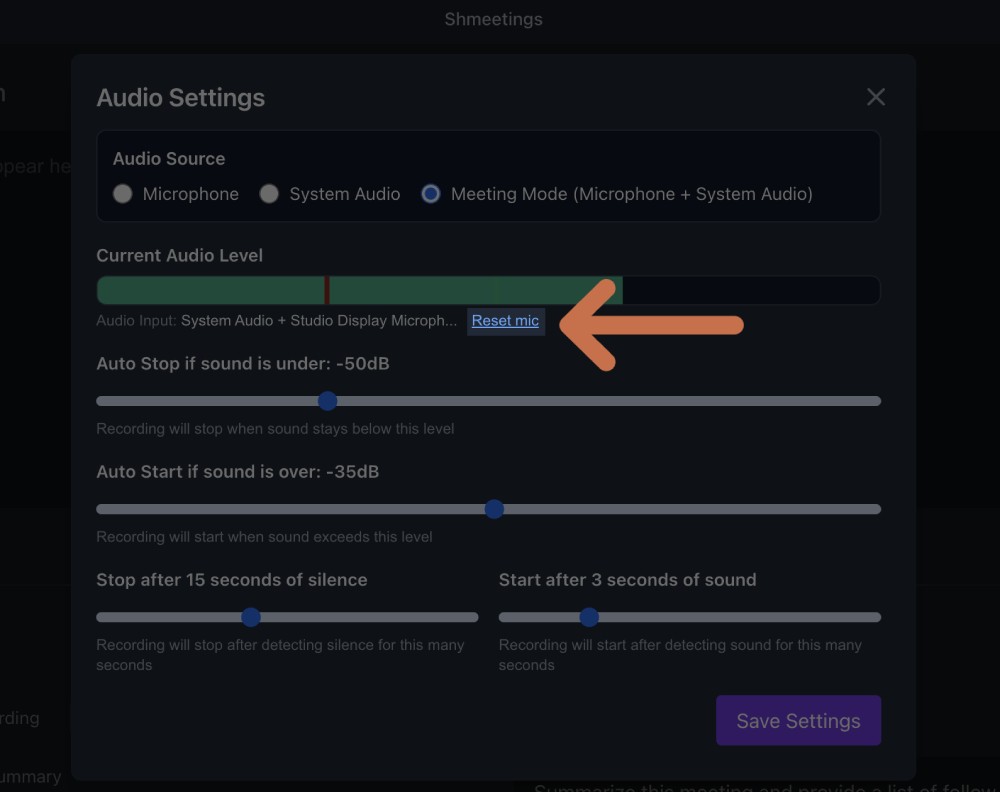
- And there's a new "Reset mic" button buried in advanced settings, a manual kill-switch for the rare case you still need one.
Net result: you can leave the app running all week and the connection won't expire out from under you.