
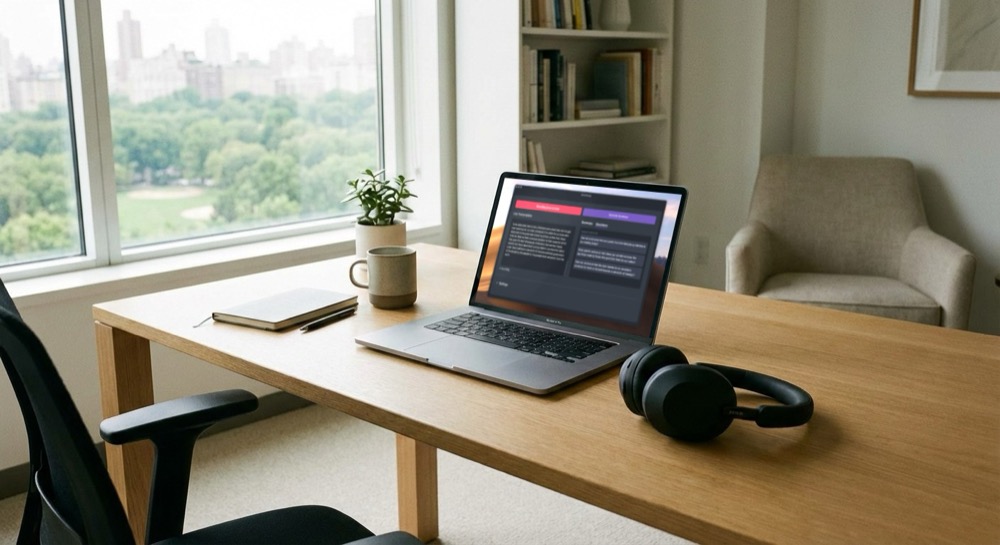
Shmeetings 2.0 is now available
Shmeetings Version 2.0 is here, and it is a major update.
We rewrote the entire app from the ground up. Why? To make it faster, more stable, and way more capable.
What Changed
Shmeetings version 1 used Ollama, a third party tool that runs local AI models on your computer. Ollama started to change soon after we first released Shmeetings. We didn't like that Ollama started focusing on cloud models and subscriptions.
Even though Shmeetings did not require Ollama's cloud features, we weren't happy with the direction Ollama was going. Privacy is our #1 priority.
So, Shmeetings version 2 uses Llama.cpp directly, which is the open source technology behind Ollama.
You don't have to know what Llama.cpp is. But in a nutshell, with Shmeetings v2 you get faster installation, better stability, and more control. Everything still runs on your computer. Your data never leaves your machine.
New Features
System Audio Recording
With Shmeetings 2.0, you can now record system audio. This was the most requested feature from our users.
Choose Microphone, System Audio, or Meeting Mode (both at once). Wear headphones during Zoom calls and Shmeetings transcribes both you and your teammates.
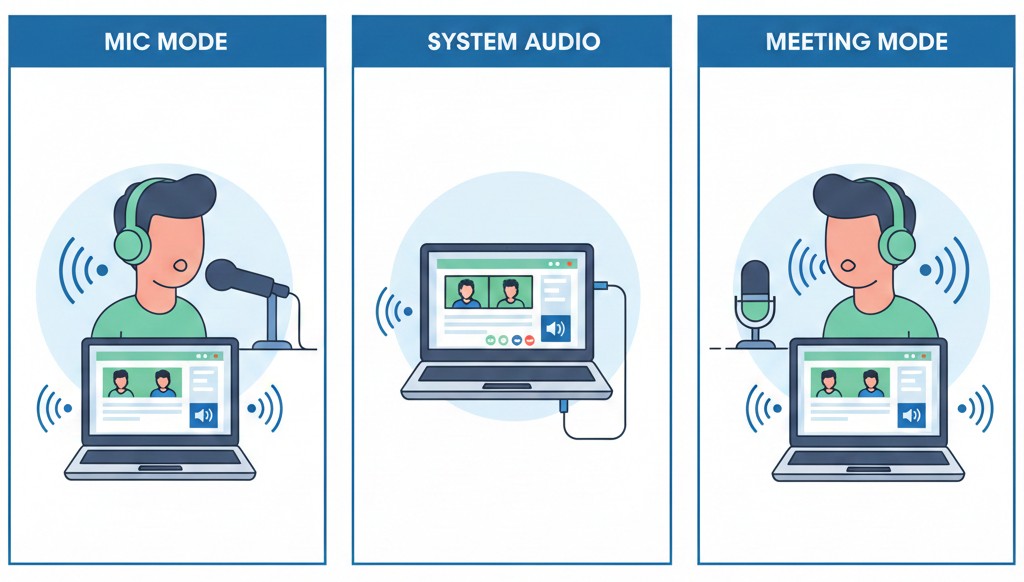
When you use an external mic, you can have Shmeetings on your main work computer, or run it on a separate computer listening to both you and your teammates. But this requires you to blast your meeting on your speakers.
Using Meeting Mode, Shmeetings will be able to hear your meeting via system audio, while your mic captures your voice. No speaker necessary.
Additional Whisper Models
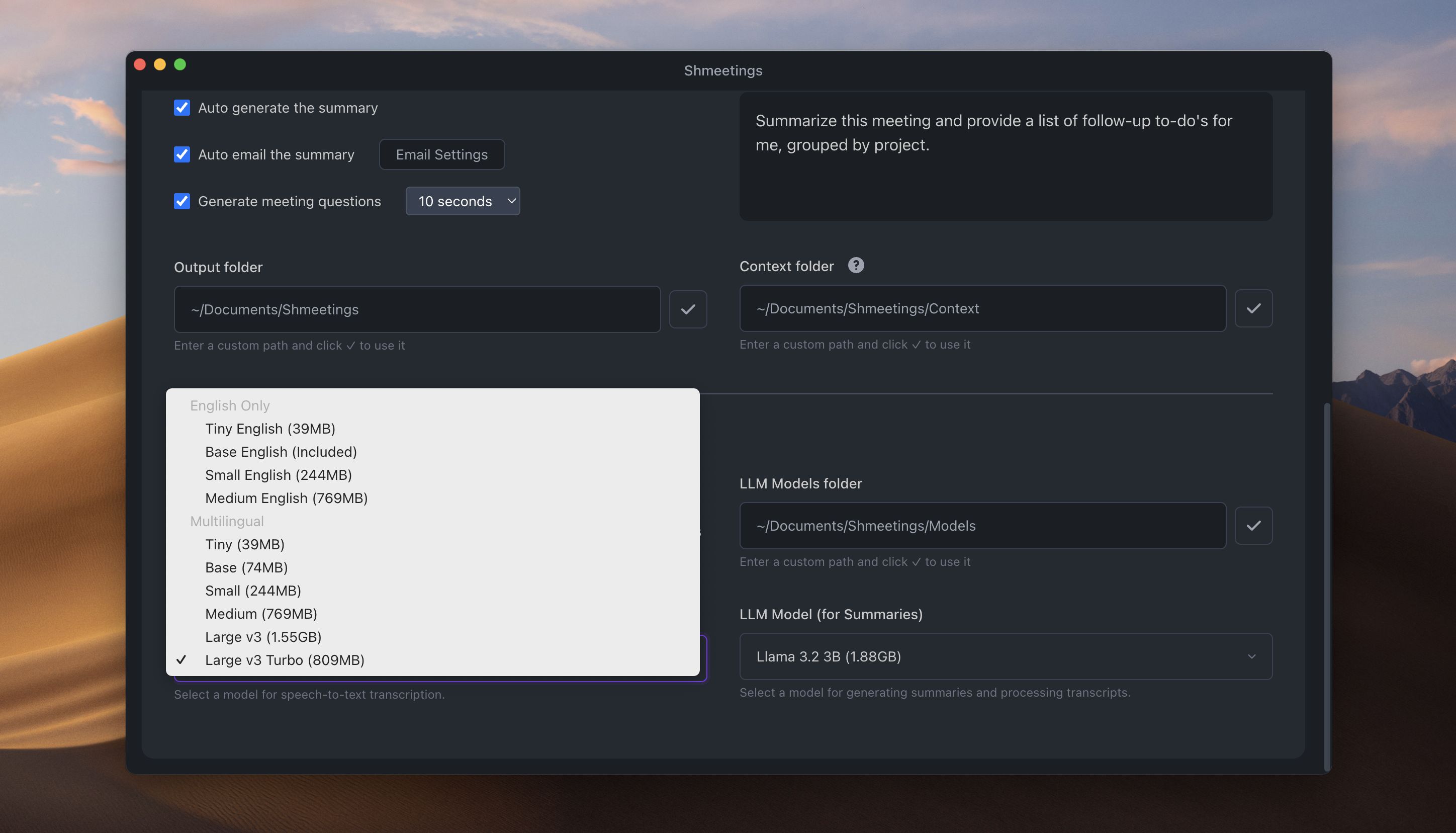
OpenAI's Whisper Base is the default transcription model for Shmeetings, which works great for most people. But you can now choose Tiny for speed, or Small, Medium, and Large for better accuracy. Simply select your preferred model in settings, and it'll download automatically.
Multi-Language Whisper Models
Shmeetings now supports Whisper's multilingual models. Transcribe meetings in Spanish, French, German, Chinese, Hebrew, and more. The model auto-detects the language being spoken, and the summary is in that language too.
Custom AI Models
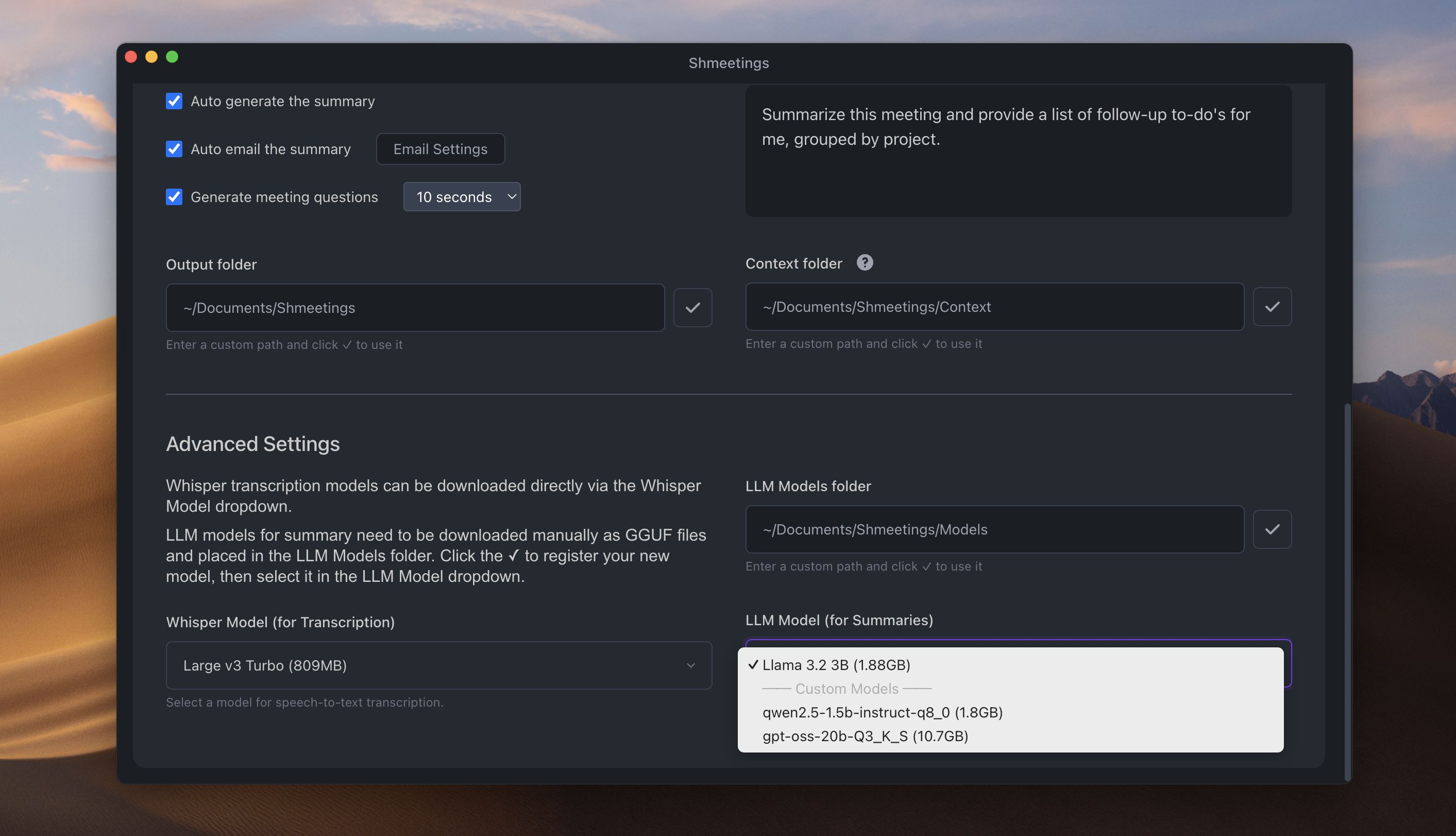
Meta's Llama 3.2 is the default AI model for generating summaries in Shmeetings Version 2. But advanced users can swap in any GGUF model you want. Just drop the model file into your Models folder, and select that model in the app settings.
Question Generation
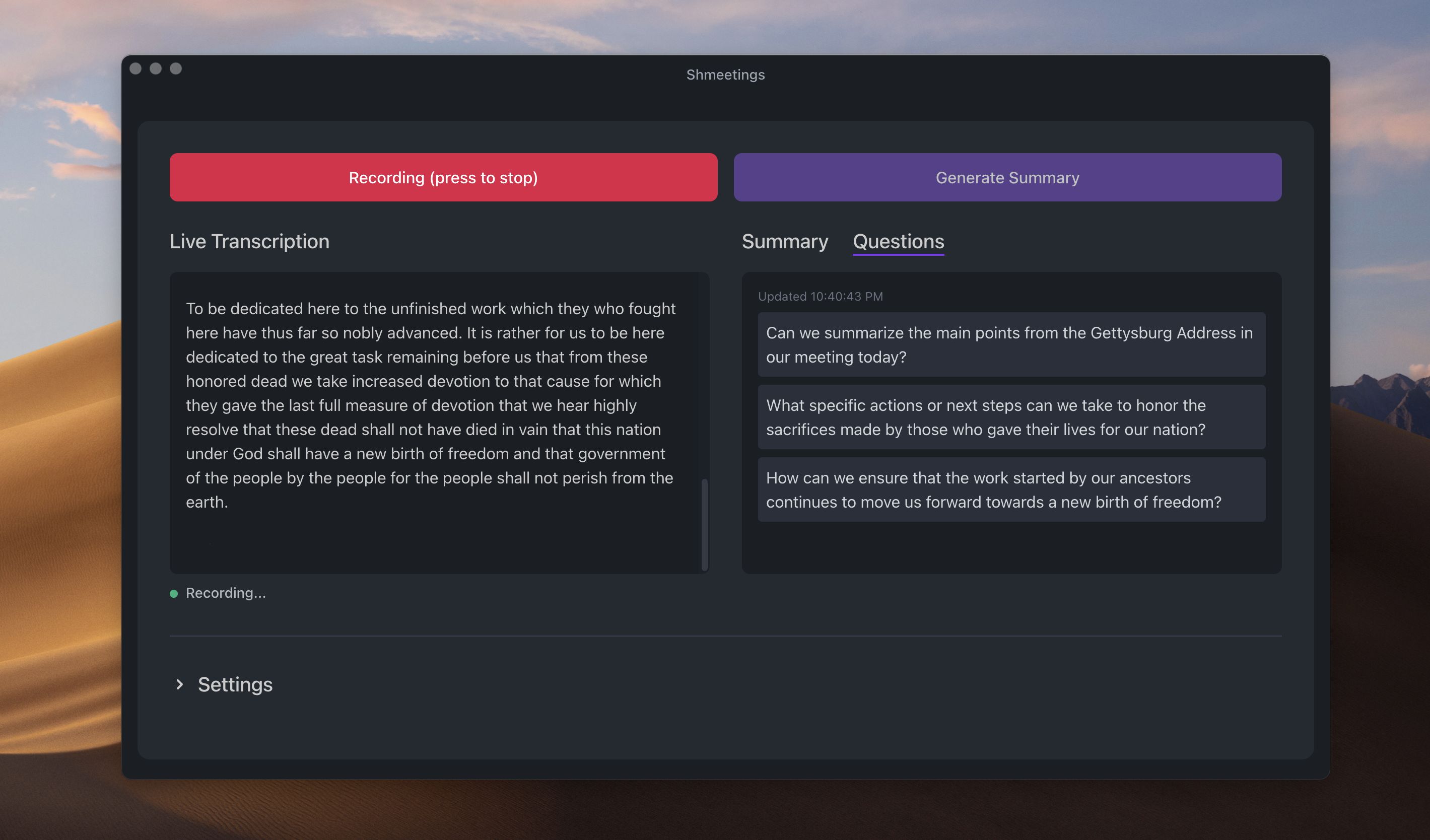
Stuck in a meeting and don't know what to ask? Turn on the Questions feature. You'll see 3-4 suggested questions you can ask based on what's being said. No more awkward silences.
The questions can be refreshed every 10, 15, or 30 seconds.
Audio File Drag-and-Drop
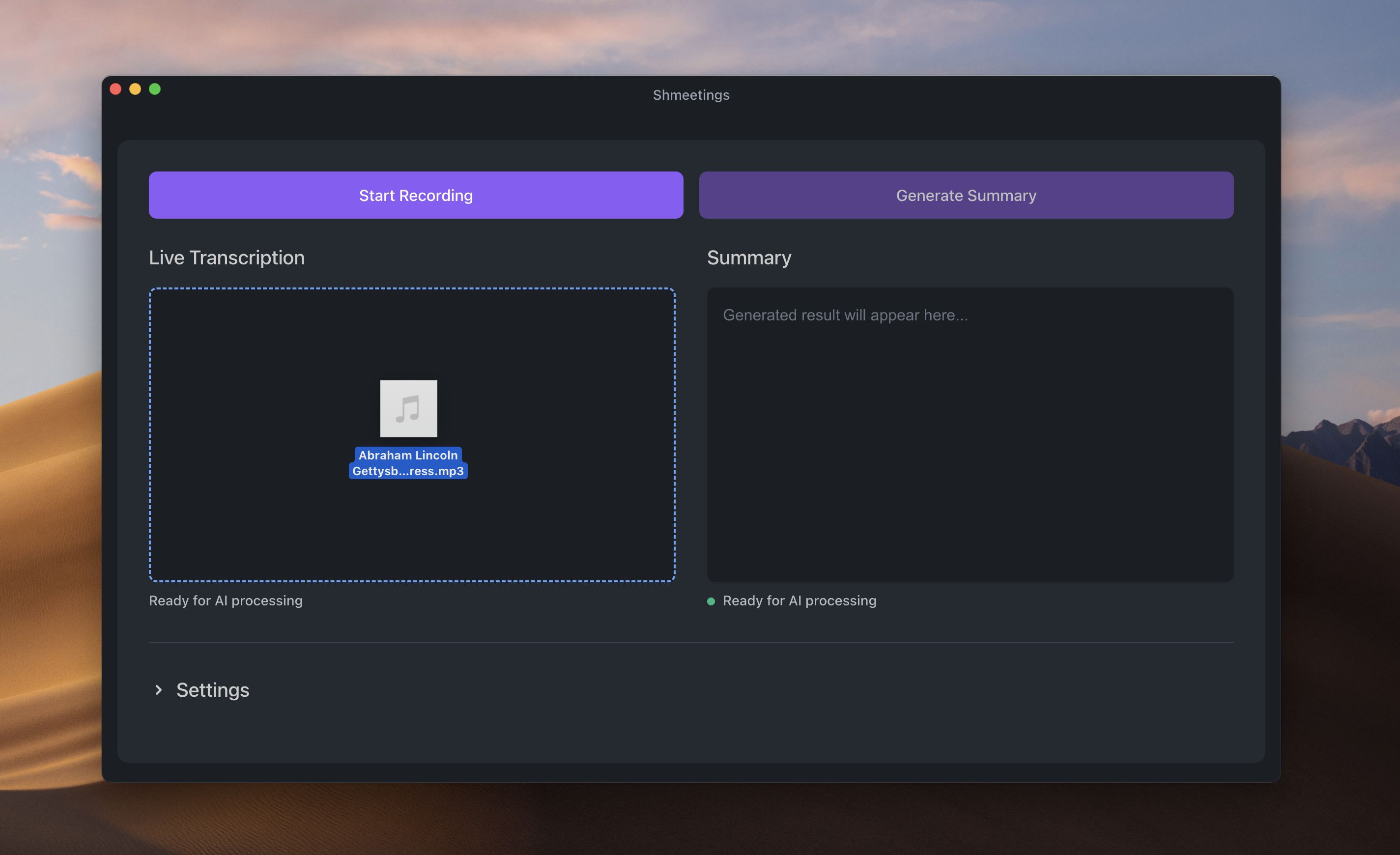
You can now drag and drop .mp3, .m4a, .aac, or .wav files into Shmeetings and it transcribes them. You can also drop .rtf files now, not just .txt. Transcribe old recordings or podcasts, then summarize them.
Recorded meetings on your phone? No Problem. AirDrop the file to your Mac, or transfer it to your Windows PC, and drop it into Shmeetings.
What's Next?
Shmeetings Version 2 supports both Mac (Apple Silicon and Intel) and Windows.
How to Install if You Have Version 1
If you already have Shmeetings installed, go ahead and uninstall your current version. Open Shmeetings, go to Help, then Uninstall. If you only use Ollama for Shmeetings, uninstall that too.
Download the new Shmeetings.dmg file. Drag the app to your Applications folder. Open it.
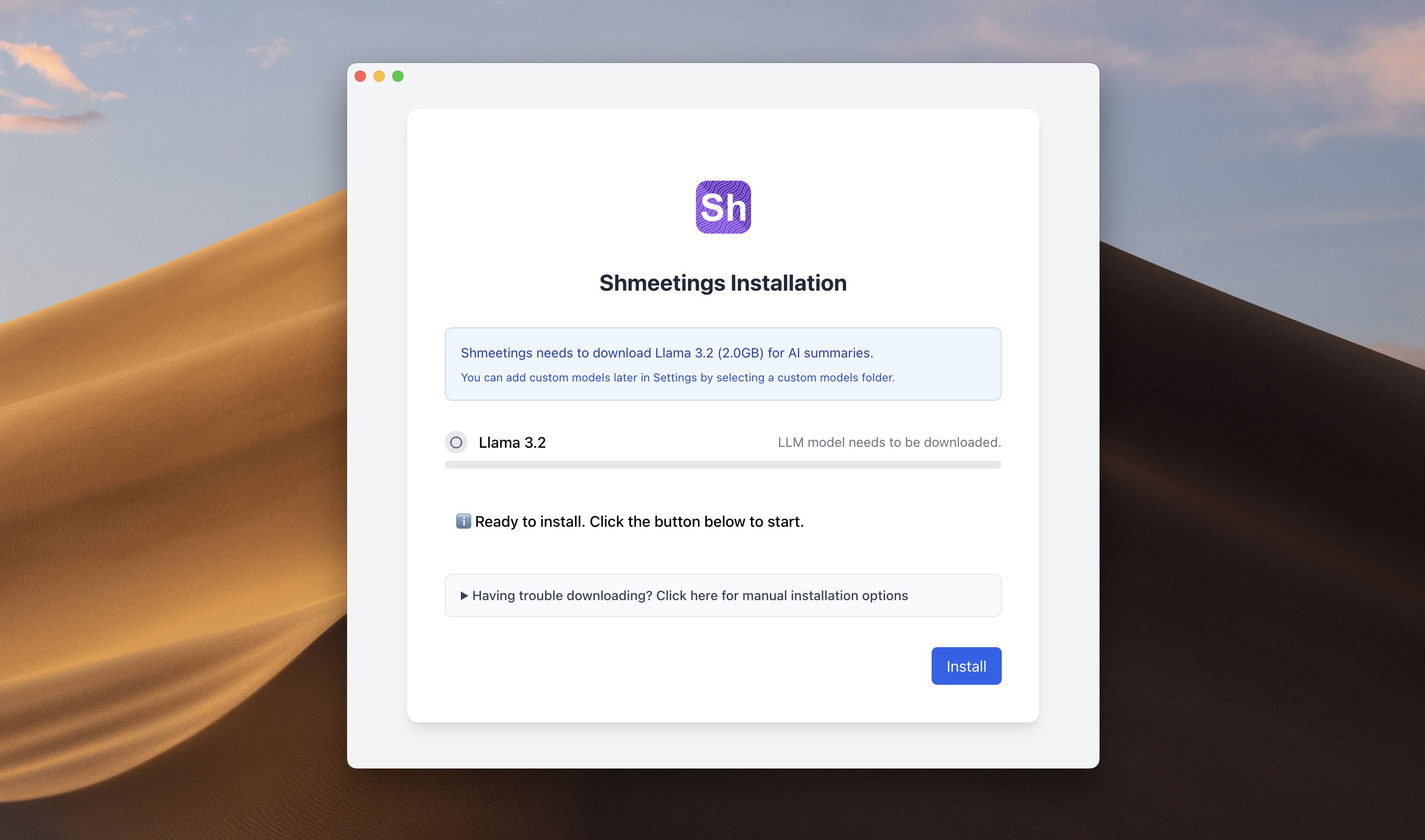
You'll be prompted to download Llama 3.2. It's 2GB. Wait for it to finish.
Want the Questions feature? Go to Settings and turn on "Generate meeting questions." You'll see a new Questions tab next to Summary.
Want System Audio? Go to Audio Settings and select it. On Mac, macOS will ask for Screen & System Audio Recording permission. Go ahead and grant it.
That's it. You're good to go.
Why This Version Matters
Meetings are very tiring. You're trying to listen, take notes, and think at the same time. You miss things.
However, keeping up with cloud software is also tiring. Dealing with subscription costs, worrying about data privacy, constant updates that break things.
Our goal with Shmeetings 2.0 is to make your meeting life easier with one simple app, running in the background, without a lot of unnecessary features or complex workflows.
Shmeetings handles the notes. You focus on the conversation. After the meeting, you get a clean summary and action items.
And it all stays private. No cloud. No subscriptions. No tracking.
Give it a try. See if it makes a difference.