
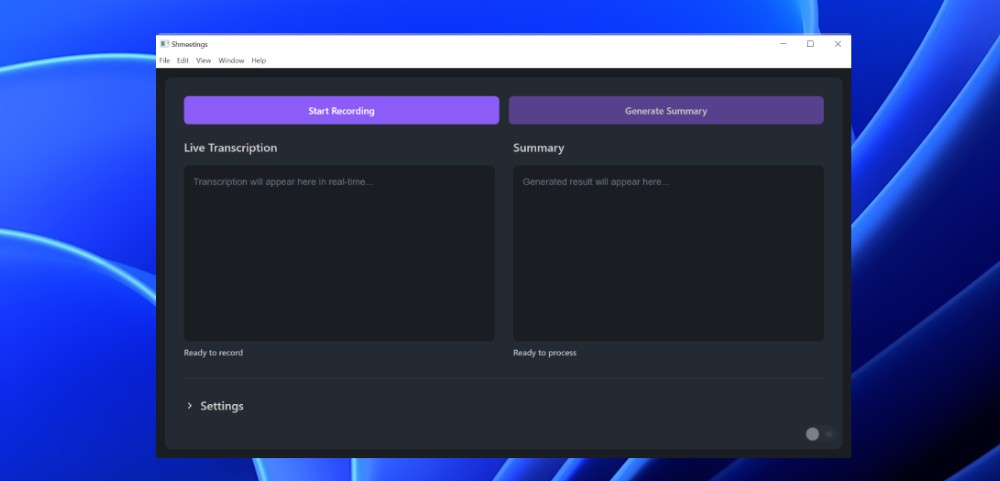
Shmeetings Is Now Available for Windows
The Windows version of Shmeetings is finally here.
Same application. Same functions. Same privacy. If you are waiting for a Windows version of Shmeetings, then this is what you have been waiting for.
What You Get
Everything Mac users have been enjoying since launch. Shmeetings uses artificial intelligence that runs on your computer to record and summarize your meetings. This means no cloud, no accounts, and no subscriptions.
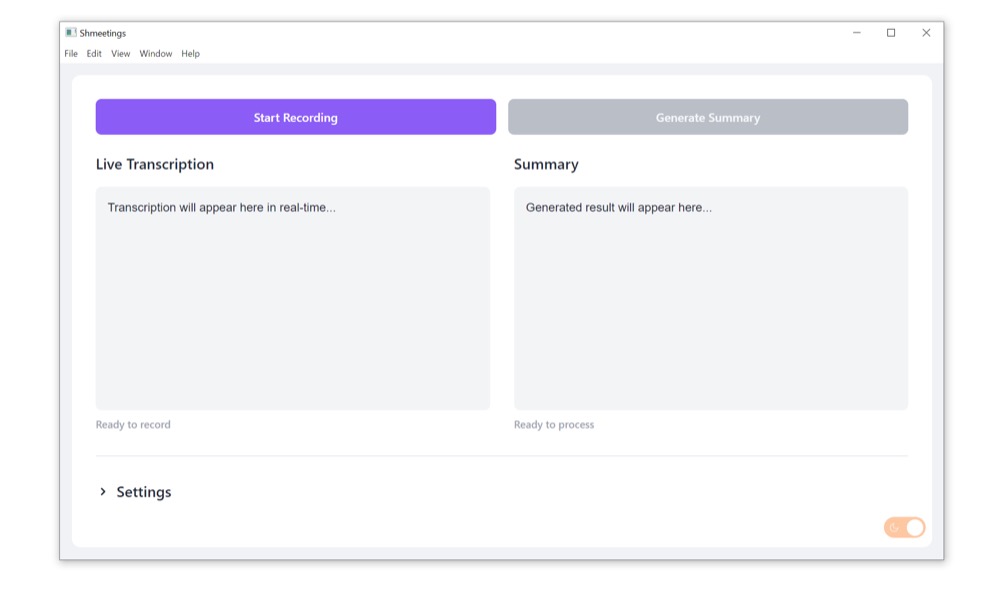
Here are some of the functions that come with Shmeetings:
- Live transcription using OpenAI's Whisper
- Summarize meetings and create action items using Meta's Llama
- Record audio from system audio and microphone
- Meeting Mode for video calls with headphones
- Auto-detect over 90 languages
- Drag and drop audio files to transcribe them
- Custom AI models and prompts
- Auto-email meeting summaries
Everything runs on your local computer and your audio files are stored on your hard drive.
System Requirements
You don't need a high-performance computer. Here is what will work:
- Windows 10 or later
- 8GB of RAM (16GB recommended)
- 3GB of storage space available on hard drive for AI models
- A modern multi-core processor
If you have a dedicated graphics card, then Shmeetings will utilize it. However, this is optional. By default, Shmeetings runs on your CPU.
Nothing has changed for Mac users. Apple Silicon Macs (M1 and later) with macOS 11+ will continue to function the same way as before.
One Purchase for Both Versions
You won't have to buy Shmeetings twice. Once you make a single $39 purchase, you'll get both the Mac and Windows versions. You can download either version that you want from your receipt page after checking out.
If you've already purchased Shmeetings for Mac, you can find the link for the Windows version on the same receipt page where you received your original receipt email from LemonSqueezy.
Installation Instructions for Windows
- Go to your receipt page and download the Shmeetings installer.
- Open the installer (.exe file) and follow the prompts.
- Shmeetings will automatically download the Llama 3.2 AI model.
- Begin recording.
That's it. You won't need to create any accounts, configure any API keys, or install any third-party tools.
Why Running Locally Matters
Any cloud-based meeting assistant uploads your conversation to someone else's server, processes your audio remotely, stores your transcript in their database, and links your meeting content to your identity.
Shmeetings does none of that. The AI models run on your machine. Your audio files never leave your computer. There's nothing to hack, nothing to leak, and nothing to worry about.
This matters when you engage in sensitive client conversations, confidential business discussions, or simply care about your privacy.
Get Started
Are you an existing owner of Shmeetings? Then check your LemonSqueezy receipt for the link to the Windows version.
New to Shmeetings? Get it here for $39. One-time payment. Free lifetime updates. 30-day money-back guarantee.