

Meeting Summary Templates You Can Start Using Today
Every week, professionals spend an average of 11.5 hours in meetings. That's almost a third of a work week. And when those meetings end, most of us just rely on memory to remember what happened. That's where a good summary of meeting template comes in.
The right meeting template gives your notes structure. It pushes you to write down the decisions, owners, and deadlines that matter. And it means you stop writing out giant paragraphs of discussion that won't be read anyway.
Below, we'll explore ready to go templates for the most common types of meetings, and what the right one to apply is for each specific meeting type. At the end, we'll explore how AI meeting assistants come up with their meeting summaries automatically.
What Makes a Meeting Summary Template Actually Useful
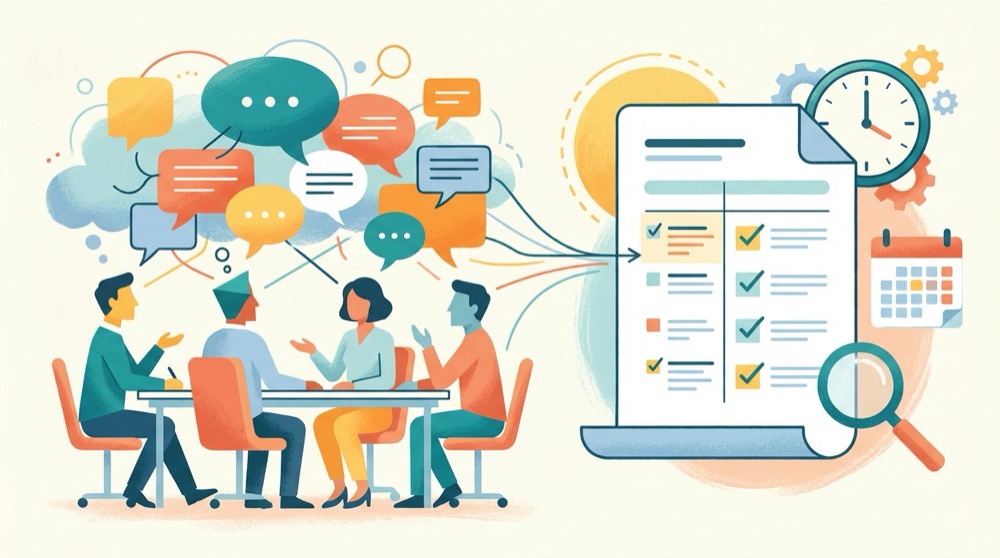
Most meeting note templates fail because they try to document everything. A useful summary of meeting template does the opposite. It captures only what moves work forward.
The Three Things That Matter
Every useful meeting summary should contain three things.
- What was decided. If the whole group agreed on something, write it clearly as a sentence. Not "we talked about the timeline", but "the team agreed to launch on March 15".
- Action items, with owners and deadlines. A task without a name attached to it won't get done. Studies show that 44% of meeting action items aren't acted on. Owners and dates fix that.
- Anything still hanging after the meeting goes here so it ends up on the next meeting's agenda instead of going off the rails.
If your summary is this simple, it probably beats 90 percent of meeting notes around.
Keep It Short
No transcript, just a summary. A page long max. The people who didn't attend need only give it two minutes of attention to know what went down. If your notes are longer, you're probably writing too much about the talk and not enough about actions.
For teams that want the full transcript available as reference, consider recording and transcribing the whole conversation with an offline meeting note taker and then moving to the summary.
Templates for Internal Meetings

Standup Meeting Summary Template
Daily standups go fast. Your template should keep pace.
Meeting: Daily Standup Date: [Date] Attendees: [Names]
Updates:
| Person | Yesterday | Today | Blockers |
|---|---|---|---|
| [Name] | [What they finished] | [What they are working on] | [Any blockers] |
Decisions: [Any quick decisions made]
Action Items:
- [ ] [Task] assigned to [Person], due [Date]
Avoid agenda recaps and notes on the discussion. The standup summary should take less than five minutes to write and under a minute to read.
Use for every recurring sync under 20 minutes where the goal is just those updates, not digging in. Standups, daily check ins, and sprint updates all fit this template.
One on One Meeting Summary Template
One on one meetings touch on career growth, blockers, feedback and relationship building. The summary should feel less formal, but it should still capture commitments.
Meeting: 1:1 [Manager] and [Report] Date: [Date]
Topics Discussed:
- [Topic 1: note on what was discussed]
- [Topic 2: note]
Feedback Given/Received:
- [Key feedback point]
Decisions:
- [Any agreements or commitments]
Action Items:
- [ ] [Task] by [Person], due [Date]
Carry Forward to Next 1:1:
- [Topics to revisit]
It is really that "carry forward" section that takes this template from useful enough to essential. It creates continuity between meetings so those recurring things don't fall into a black hole. Gallup research has found that employees are three times as likely to be engaged at work if they have regular meaningful one on ones with their manager. A consistently used summary template gives those conversations meaning and traction.
Templates for Company and Client Meetings
All Hands Meeting Summary Template
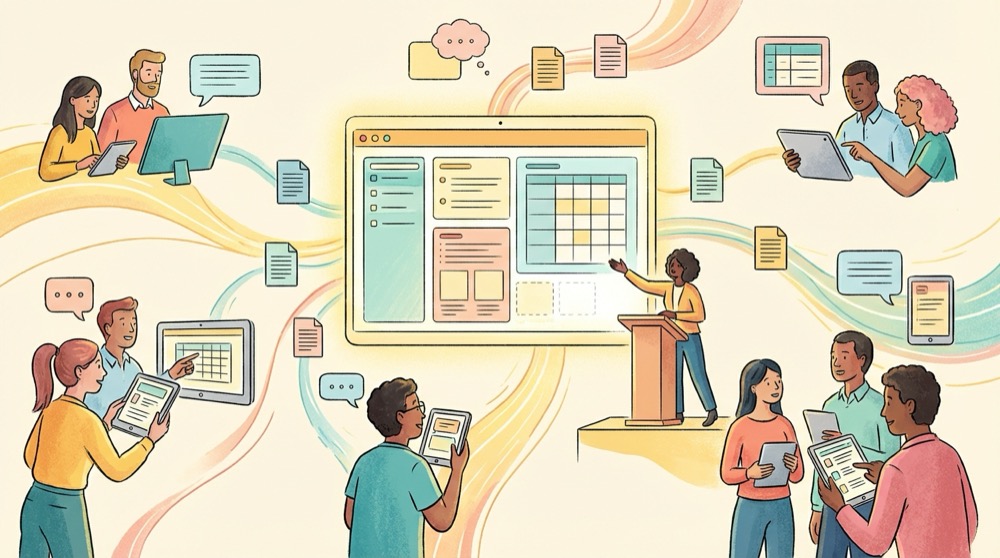
All hands meetings are a different beast. They align the entire company around announcements, priorities, and culture. The summary has to be shareable with folks who couldn't attend.
Meeting: All Hands Date: [Date] Presenter(s): [Names]
Company Updates:
- [Update 1: metric or news from someone senior]
- [Update 2]
Department Highlights:
- [Department]: [What matters for folks outside the department]
- [Department]: [What matters for folks outside the department]
Q&A Highlights:
- Q: [Question from the audience]
- A: [What was said in response]
Key Decisions/Announcements:
- [Key decision or announcement that was made and why it matters]
Next All Hands: [Date]
Tips for All Hands Summaries
Keep it short and factual. Avoid motivational language or internal cheerleading. The folks reading this summary want to know what altered in the business since last week, what that means for them, and what to do next. Link to any documents, slides, or recordings that are available.
For larger organizations where the all hands is recorded, local AI transcription can get you a first draft of the summary from the recording. You review and trim it down instead of writing from scratch.
Client Call Summary Template
Client calls carry more risk. The summary is often sent to the client, so getting the tone and the details right matters more here than in an internal meeting.
Meeting: Client Call with [Client Name/Company] Date: [Date] Attendees: [Internal team] and [Client contacts]
Agenda Items Covered:
- [Item 1: what was discussed and outcome]
- [Item 2: what was discussed and outcome]
Client Requests:
- [Request with specifics]
Commitments Made:
- [Our commitment] by [Date]
- [Client commitment] by [Date]
Open Items:
- [Anything unresolved that needs follow up]
Next Meeting: [Date and purpose]
Why Client Call Summaries Need Extra Care
A sloppy internal meeting note is irritating. A sloppy external meeting note can cost you a client. Send the update to your client by email within 24 hours of the call and benefit from a shared record to refer back to in case of disputes about who agreed to what.
Some teams will record client calls to make sure details are captured correctly. If you go this route, be careful about client privacy. Cloud based transcription services send your audio to external servers, which may violate the terms of an NDA or client confidentiality agreement. A local recording tool keeps third parties out.
AI Meeting Summaries vs Manual Templates
When there is someone on your team to fill in the meeting summary template, great. But the truth is manual note taking fragments your attention between being part of the conversation and writing it down.
AI meeting assistants can capture the whole conversation and produce a structured summary automatically. The question is whether the AI generated summary is good enough to replace your template.
Where AI Summaries Have the Advantage
AI tools are good at completeness. If they capture everything that was said, you won't miss an action item because you were speaking when someone else brought it up. They also save time. A 60 minute meeting that takes 15 minutes to capture notes from by hand could take seconds to summarize.
Tools like Otter.ai and Fireflies generate a summary from a cloud recording. Shmeetings does the same thing, entirely on your Mac, without sending any audio out.
Where Manual Templates Still Matter
AI summaries are only as good as the model generating them. They miss context, sometimes misattribute quotes, and sometimes include irrelevant filler. For high stakes meetings like client calls, board meetings, and legal discussions you want a human editing the output.
The right mix for most teams is a hybrid system. Let an AI tool generate the first draft using your preferred template structure, and spend two minutes cleaning it up afterwards. You get the completeness of AI with the accuracy of human review.
Choosing Between Cloud and Local AI
Cloud based meeting assistants require your audio to leave your device. For many teams, especially those in healthcare, legal, and finance, that's a compliance concern. Local transcription tools process everything on your computer. The audio never touches a server.
That gap in accuracy between cloud and local AI has significantly closed. Current models that run locally like Whisper can transcribe audio at more than 95 percent accuracy on English audio. The trade off is that the transcription uses your computer's GPU instead of a data center.
For teams looking to summarize meetings without uploading audio to the cloud, a local AI meeting assistant with the right template structure gives the best of both worlds.
How to Roll Out Meeting Summary Templates Across Your Team

Having a good template is meaningless if nobody uses it. Here's how to make them stick.
Start Small with One Meeting Type
Don't template every meeting at once. Choose the meeting that causes the most confusion on follow up, typically a weekly team sync or project status meeting. Use the template there for two weeks. Once the team sees it is valuable, expand to other meeting types.
Store Templates Where Your Team Works
If your team works in Notion, store the templates in Notion. If you work in Google Docs, share template files among the team. No template should be more than zero clicks away from where people already take notes. Meeting summary tools that integrate with your existing workflow remove even more friction.
Automate What You Can
The easier it is for people to record the notes, the more likely it is that templates will actually be used. Set up action item tracking that automatically creates tasks from your meeting summaries. Use an AI meeting assistant to pre fill the template. The goal is to make summarizing a meeting take less than five minutes of human effort.
Frequently Asked Questions

What should a meeting summary include? In addition to who attended the meeting, a summary should include decisions made, action items with assigned owners and deadlines, and any open questions that need follow up. Each summary should be a page or shorter.
How long should a meeting summary be? Most meeting summaries will fit on one page. For a 30 minute meeting, aim for 150 to 300 words. For a one hour meeting, 300 to 500 words is plenty. If your summary is much longer you probably have too much discussion and not enough decisions.
Who should write the meeting summary? A designated note taker, or an AI meeting assistant if you have one, so the person leading the meeting can focus on facilitation. If you are manually taking meeting notes, rotate who does it so the same person is not always stuck with the task.
Can AI tools write meeting summaries automatically? Yes. AI meeting assistants like Shmeetings, Otter.ai, and Fireflies record the conversation and produce structured summaries with action items. The quality is good enough for most internal meetings, though high stakes client or legal meetings benefit from human review.
What is the difference between meeting minutes and a meeting summary? Meeting minutes are a detailed chronological record of everything discussed. A meeting summary captures the decisions taken and the tasks going forward but skips the discussion. Summaries are more practical for day to day use because people can actually read them.
Should I send the meeting summary to everyone who attended? Yes, send the summary within 24 hours of the meeting and include anyone who was invited but could not attend. This creates accountability for action items and ensures everyone has the same understanding of what was decided.