The Offline Meeting Note Taker: Stop Sending Your Conversations to the Cloud
The offline meeting note taker exists because the default tooling sends your conversations to someone else's servers, and a growing group of professionals has decided that doesn't work for sensitive calls. This guide covers how the cloud note takers actually work, what going offline changes, the consent rules that apply either way, and the tradeoffs stated honestly.
How the Cloud Note Takers Work, and Why They Took Off
A meeting bot joins your video call as a visible participant, records the audio, transcribes it, and posts notes to a shared dashboard. The model won on convenience: zero setup, no software to install, and it works across every platform your calendar touches. Invite the bot once and it shows up for every meeting forever.
The cost sits in what the bot's presence means architecturally. Because it receives the audio as a participant, it can keep its own copy of the recording under its own retention policies and its own subcontractor list, so your organization's control over the recording ends at the vendor's front door. The category has already produced lawsuits and institutional bans over consent, including a complaint alleging a major note taker recorded meetings without the consent of participants who weren't its users.
The upload step is the boundary that matters. Once audio leaves your machine, its safety depends on the vendor's hosting, retention, access and deletion controls rather than yours, and that dependency is the whole argument in one sentence.
What an Offline Note Taker Does Differently
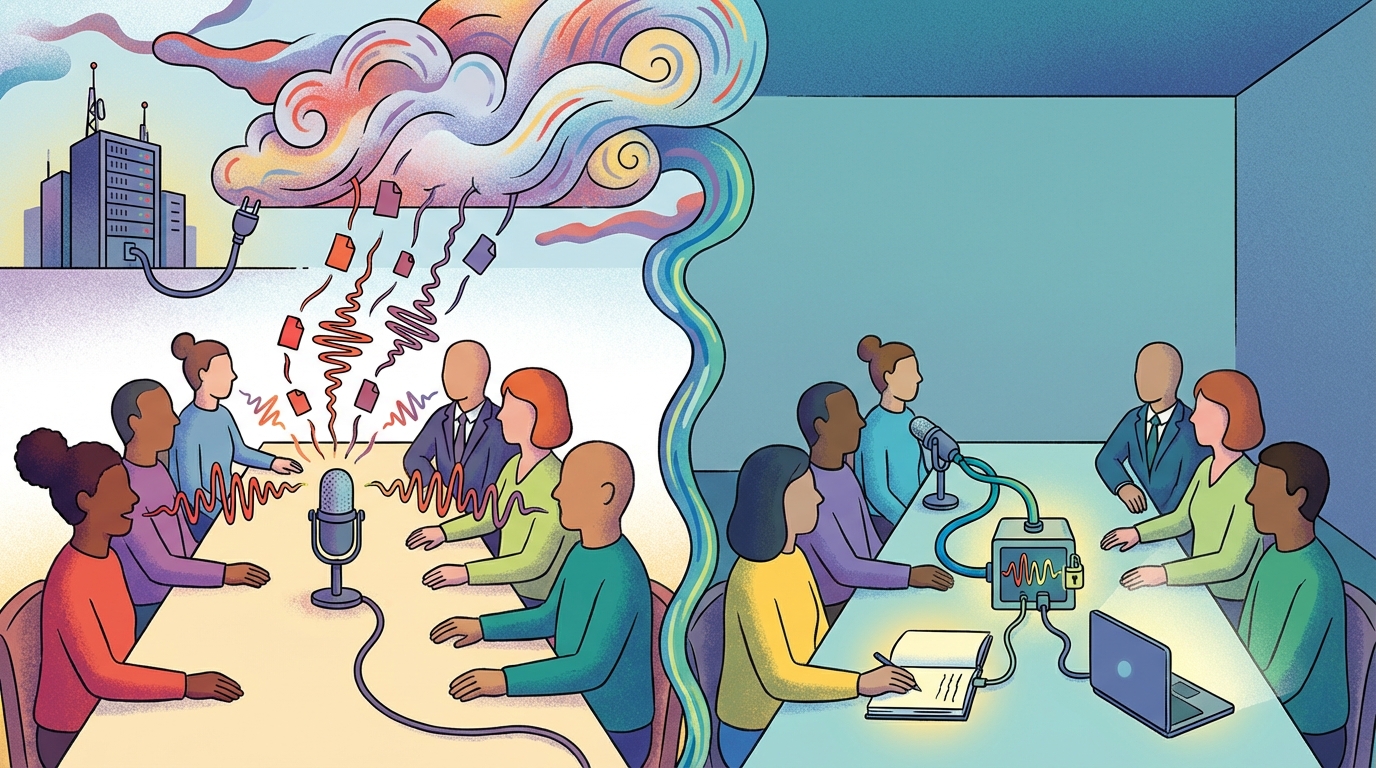
A desktop capture app records the audio on your computer without adding anything to the meeting roster. There's no bot to introduce, no participant entry for guests to wonder about, and no audio leaving the machine at any point. The transcript gets produced where the conversation happened, which also means it covers the calls a bot can't join: in-person meetings, phone calls, and platforms where an extra participant would be removed at the door.
That last part is an architectural fact rather than a policy promise: audio that never left your machine cannot be retained by a vendor, breached in their database, or produced from their servers in a subpoena. Local speech models run in a few gigabytes of memory, so the compute fits on an ordinary laptop, and the whole job completes offline. For the professions whose recordings carry privilege or confidentiality obligations, that property is worth more than any dashboard, and it is the reason this category keeps growing even though the cloud tools are free to try.
This is why botless recording has become a marketed feature category in its own right: the friction of the visible bot is real, teams feel it with clients and with their own legal departments, and the vendors without local capability are retrofitting the language. The offline tools simply never had the problem.
The Consent and Compliance Angle
The wiretap statutes that apply to a person pressing record apply equally when a bot joins automatically, because the mechanism of capture is legally irrelevant while notice is everything. In all-party consent jurisdictions, every participant of a recorded call must consent, and the organizer usually owns that obligation. Going offline doesn't change any of that, it only changes who operates the recorder.
A visible bot doubles as a consent signal, which means its absence needs a replacement: a spoken notice, a meeting-invite line, or a written policy that covers it. When the recorder is a macOS tool like Shmeetings, the notice is yours to give every time, because there's no digital guest announcing itself. That's a real responsibility, not a small one.
For the vendors you do allow, the governance questions are worth writing down: what is stored, where, for how long, who can access it, and whether your conversations train anyone's models. Enterprise guidance on AI meeting tools says the same thing in more words, and the teams that skip the questions are the ones who end up in the lawsuits the category keeps generating.
The Real Trade-offs
Going local means your hardware does the work and your evening pays for the setup. There's no central team library that fills itself, no CRM sync, no shareable dashboard, and moving notes to colleagues is a manual step. For teams that lived on the cloud tools' sharing, this is the part that actually hurts, and it's better known before adoption than after.
The notice burden is the other honest cost. With no bot announcing the recording, every external call needs your spoken notice, and forgetting it carries the same legal exposure as any undisclosed recording. Build the script once, use it every time, and the risk drops to near zero. Improvise it and it eventually gets skipped.
Making It a Working Habit

A tool becomes a system when the routine is fixed: capture, then minutes while context is fresh, then file by convention so the folder finds things later instead of you digging for them. Pairing the recorder with a meeting minutes routine is what turns an audio file into something the team acts on, and the local transcription guide covers the engine side if you're building the pipeline yourself. For the platform built-ins you're replacing, the Zoom transcription guide and the Teams version cover their plan gates and expiry rules.
The notice script belongs in the same routine: the same sentence, at the same point in every external call, so it never depends on memory. Consistency here is cheap insurance, and the calls where you skip it are the ones that get remembered.
Frequently Asked Questions
What is an offline meeting note taker?
An app that captures and transcribes meeting audio entirely on your computer, with no upload and no bot joining the call. The transcript exists only where the meeting happened, which removes the vendor from the data path completely.
Do bots show up in meetings?
Yes, the major cloud note takers join as visible named participants in the attendee list. That visibility signals recording to everyone present, but it also creates the friction: guests who wonder about the extra participant, tenants that block bots, and meetings where a stranger in the list changes the tone.
Is recording without a bot legal?
Recording without a bot is governed by the same consent laws as any recording, because the capture mechanism doesn't matter to the statutes, only the notice does. In all-party consent jurisdictions, every participant must consent regardless of how the audio was captured. The tool doesn't create or remove that obligation.
Can offline transcription run on a normal laptop?
Yes. Local speech models need roughly 1GB of memory at the small end and about 8GB for the larger, more accurate ones, which fits comfortably on modern laptops. No GPU is required for meeting-length audio, and the work completes without an internet connection.
What should I ask a vendor before allowing a meeting assistant?
Five things: what gets stored, where, for how long, who can access it, and whether your conversations are used for model training. If the answers live in a policy document rather than a direct answer, treat that as an answer too.